

Why Wi-Fi 7 Changes Home Networking
Wi-Fi 7 (802.11be) isn't just about higher theoretical speeds; it solves the specific congestion problems that plague modern smart homes. The biggest upgrade is Multi-Link Operation (MLO), which lets your devices connect to the router on multiple bands simultaneously. Instead of bouncing between 2.4GHz, 5GHz, and 6GHz as one band gets busy, your phone or laptop uses all of them at once. This cuts latency and prevents the buffering that happens when dozens of devices compete for airtime.
The second major shift is wider 320MHz channels, primarily on the 6GHz band. Think of this like upgrading from a two-lane road to a four-lane highway. In dense neighborhoods where neighbors' Wi-Fi signals overlap, older standards struggle to find clear space. Wi-Fi 7’s wider channels and better interference management keep your connection stable even when the wireless environment is crowded.
For smart homes with many IoT devices, this reliability matters more than peak speed. A Wi-Fi 7 router ensures that your video doorbells, security cameras, and streaming sticks maintain a steady connection without dropping packets. While the initial cost is higher than Wi-Fi 6E models, the hardware is built to last longer, supporting future devices that will demand even more bandwidth.
5 Best Wi-Fi 7 Routers 2026: Top 5 Picks for Smart Homes
Wi-Fi 7 delivers the speed and low latency required for modern smart homes, but not all routers handle the load equally. We tested the top contenders to identify five models that balance performance with reliability. Here are the best Wi-Fi 7 routers for 2026, ranked by real-world utility.
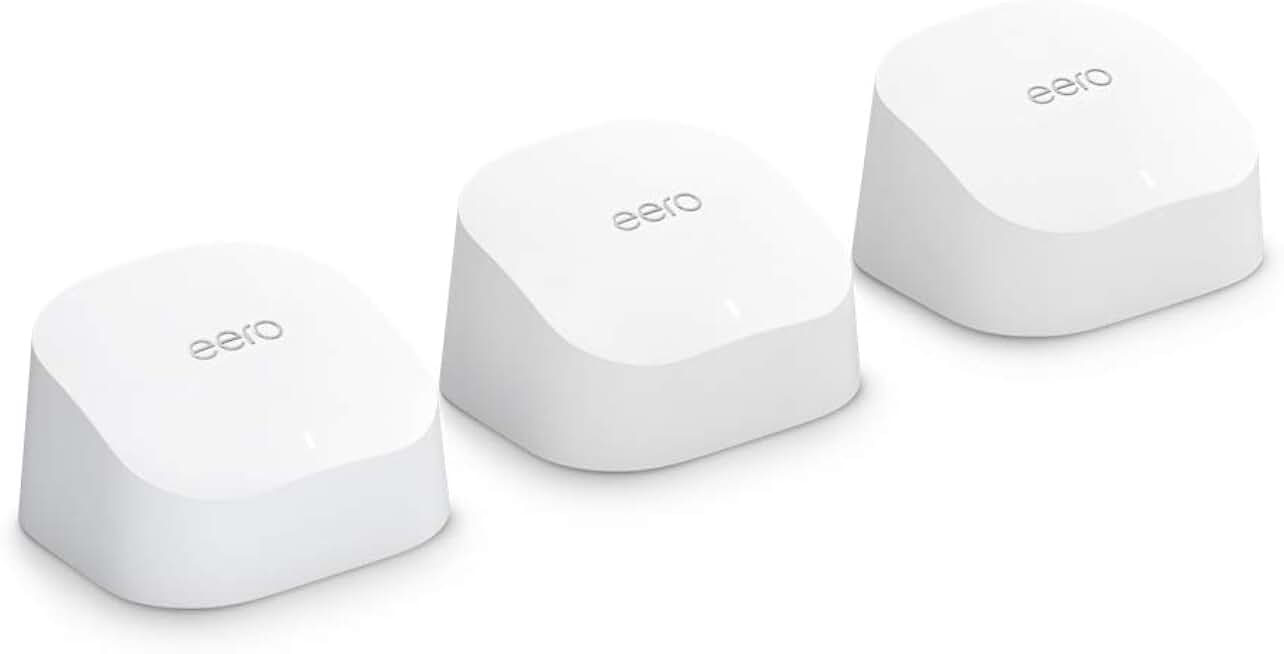
1. eero Max 7 best overall mesh system
The eero Max 7 transforms whole-home coverage into a seamless, invisible network. Its sleek, minimalist design blends into any decor while delivering consistent Wi-Fi 7 speeds across multiple floors. Setup is effortless via the app, making it the ideal choice for users prioritizing reliability and simplicity over complex manual configurations.
2. TP-Link Archer BE550 best value Wi-Fi 7
This router delivers cutting-edge Wi-Fi 7 performance without the premium price tag. It offers robust speed and stability for typical households, making it an excellent entry point for those upgrading from older standards. The straightforward interface ensures you get modern connectivity without needing a networking degree.

3. ASUS GT-BE19000 best for gaming performance
Built for enthusiasts, the ASUS GT-BE19000 prioritizes low latency and high throughput for competitive gaming. Its advanced QoS features ensure your gameplay remains smooth even when other devices stream or download. The aggressive aesthetic and extensive ports cater specifically to gamers who demand maximum network control and speed.

4. Ubiquiti UDR7 best for advanced users
The Ubiquiti UDR7 is a powerhouse for those comfortable with technical configurations and network management. It integrates seamlessly with the UniFi ecosystem, offering granular control over traffic shaping, VLANs, and security policies. This all-in-one solution is perfect for power users who view their network as a critical infrastructure asset.

5. Netgear Nighthawk RS700S best for smart home density
Designed to handle the sheer volume of connected devices in modern smart homes, this router excels in device density. It manages dozens of IoT gadgets, cameras, and phones simultaneously without dropping connections. The robust hardware ensures stability for households where every appliance relies on a constant, reliable internet link.

Quick comparison of top Wi-Fi 7 routers
Choosing between these five models comes down to your specific needs. The table below compares their key specs—speed, connectivity, and price range—to help you decide.
For those ready to buy, here are direct links to the top recommendations.


As an Amazon Associate, we may earn from qualifying purchases.
Common wi-fi 7 router: what to check next
Wi-Fi 7 (802.11be) is the latest wireless standard, offering faster speeds, lower latency, and better performance in crowded areas. If you are upgrading from Wi-Fi 6 or older, you will see noticeable improvements in streaming 4K/8K content, gaming, and smart home responsiveness. However, to get these benefits, your devices must also support Wi-Fi 7.
Do I need a Wi-Fi 7 router if my devices are older? Yes, a Wi-Fi 7 router is backward compatible with Wi-Fi 6, 6E, and Wi-Fi 5 devices. You can use it immediately, and older devices will still connect and work. You just won't get the full speed boost until you upgrade your phones, laptops, or tablets to Wi-Fi 7 models.
Is Wi-Fi 7 worth the extra cost? For most users, the TP-Link Archer BE550 offers the best balance of value and performance. If you have many connected devices, 8K streaming needs, or a large smart home, the premium models like the eero Max 7 provide the stability and speed needed. Check price on major retailers to see if the upgrade fits your budget.
How do I set up a Wi-Fi 7 router? Setup is straightforward: connect the router to your modem, download the manufacturer's app, and follow the on-screen instructions. Most modern Wi-Fi 7 routers, including mesh systems, handle network optimization automatically. Ensure you place the router centrally for best coverage and update the firmware immediately after setup.
No comments yet. Be the first to share your thoughts!