
The solver router limits to account for
A solver router moves beyond static path selection by treating network routing as a constrained optimization problem. Instead of relying on pre-defined rules or simple distance metrics, the solver evaluates real-time conditions—such as latency, packet loss, and available bandwidth—to find the most efficient path for data packets. This approach is particularly critical for low-latency gaming, where milliseconds determine performance.
Traditional routers often struggle with dynamic network congestion. They may stick to a "best" path even when it becomes saturated. A solver router, by contrast, continuously recalculates routes based on current network state. It weighs the trade-offs between different paths, selecting the one that minimizes delay and maximizes stability for the specific application. This dynamic adjustment ensures that gaming traffic gets priority and avoids bottlenecks that static routing would miss.
The constraint lies in the complexity of the calculation. Solving for the optimal path requires significant computational resources and real-time data. The router must balance accuracy with speed, ensuring that route changes happen fast enough to be useful but not so frequently that they cause instability. This balance is what defines the effectiveness of a solver router in a high-stakes, low-latency environment.
Solver router choices that change the plan
Choosing a solver router means balancing speed, cost, and reliability. Unlike static routing, solver-based systems compete to find the optimal path for your data. This competition often lowers latency but introduces new variables you must monitor.
Latency vs. Consistency
Solver routers excel at finding the fastest route in real-time. However, the time spent calculating that route can sometimes add milliseconds. For high-frequency trading, this split-second delay matters. For casual gaming, it usually does not. Static routers offer predictable, albeit slower, paths. Solvers offer speed but with variable consistency.
Cost Structure
Static routers have a fixed hardware cost. Solver routers often operate on a subscription or usage-based model. You pay for the computation power required to solve the routing problem. If your traffic is low, this might be cheaper. If your traffic spikes, costs can rise quickly. Always check the pricing model before committing.
Complexity and Maintenance
Setting up a solver router requires more technical knowledge. You need to understand the solver's parameters and how they interact with your network. Static routers are plug-and-play. With solvers, a misconfiguration can lead to poor performance or even downtime. Ensure you have the expertise to manage this complexity.
| Feature | Solver Router | Static Router |
|---|---|---|
| Latency | Low (variable) | Higher (consistent) |
| Cost | Usage-based | Fixed |
| Setup | Complex | Simple |
| Maintenance | High | Low |
How to Choose the Right Solver Router
Choosing a solver router means deciding how much control you want over network traffic versus how much automation you trust. Traditional routers use static tables to direct data packets, which works for basic browsing but struggles with the jitter and latency spikes that ruin gaming sessions. Solver-based routers, like those powered by WiFi Solver, treat routing as a dynamic optimization problem. They simulate signal strength and interference in real-time, adjusting paths to keep your connection stable.
To pick the right solution, follow this practical framework. It moves from understanding the core technology to verifying performance claims.
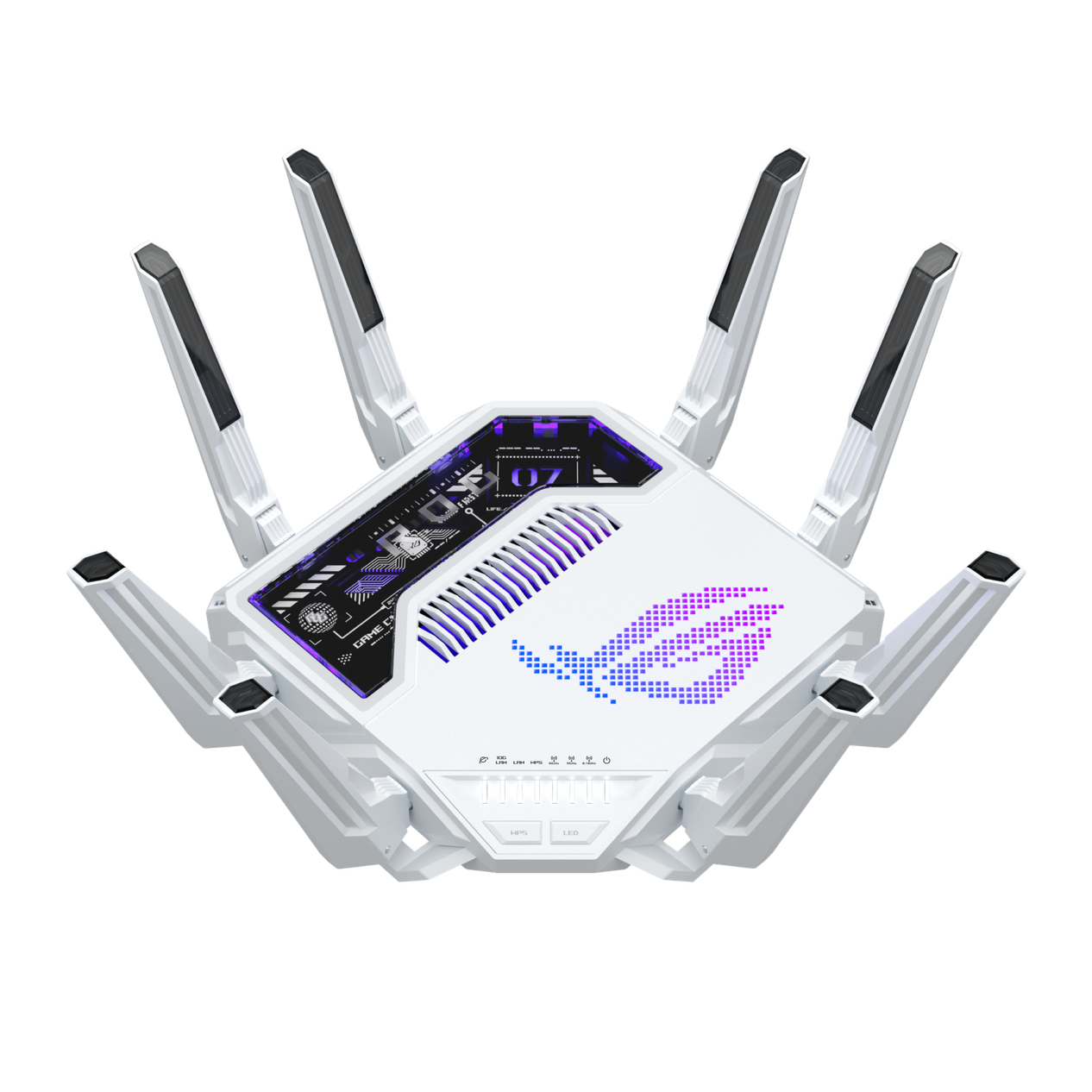
If you play competitive shooters or fighting games, every millisecond counts. Standard routers broadcast data on fixed channels, which can lead to collisions in crowded apartments. A solver router actively scans for the clearest path, effectively "solving" the interference puzzle before it affects your ping. If you stream video or browse the web, a standard router is usually sufficient.

Look for routers that use physics-based simulation engines. These tools model your home’s physical structure—walls, floors, and furniture—to predict signal strength. This isn’t just a signal strength meter; it’s a predictive model that adjusts routing decisions proactively. Avoid routers that only react to lag after it happens; you want one that prevents it.

Solving routing problems in real-time requires significant processing power. Ensure your router has dedicated AI or NPU (Neural Processing Unit) chips to handle these calculations without slowing down your internet speed. If the router relies solely on the main CPU, you may notice increased latency during peak usage times.

Most solver routers offer a trial or money-back guarantee. Set up the router in your actual gaming environment, not a lab. Play your most demanding titles for at least a week. Look for consistent ping stability, not just low average ping. A solver router should reduce jitter, the variation in latency, which is the real enemy of smooth gameplay.
| Feature | Standard Router | Solver Router |
|---|---|---|
| Path Selection | Static Tables | Dynamic Simulation |
| Interference Handling | Reactive Channel Switching | Proactive Path Optimization |
| Setup Complexity | Plug and Play | Initial Calibration Required |
Spotting Weak Options and Misleading Claims
The AI router space is crowded with buzzwords, but not every "solver" delivers the low-latency performance you need for competitive gaming. Many marketing materials conflate standard load balancing with true solver-based traffic optimization. Understanding the difference helps you avoid products that promise speed but deliver only basic packet forwarding.
The "Solver" Misnomer
True solver networks, like those described in blockchain infrastructure, use competition to replace static routing tables. They optimize execution through settlement and MEV dynamics, not just signal strength. If a router claims to be a "solver" but relies on static paths, it is likely misusing the term. Look for dynamic path selection that adapts to real-time network congestion, not just Wi-Fi signal strength simulations.
Common Mistakes in Router Selection
Many gamers upgrade to high-end routers expecting lower ping, only to see no change. This happens when the router does not prioritize gaming traffic. Check if the device supports QoS (Quality of Service) rules that can be manually configured. Automatic QoS is often less effective because it cannot distinguish between a game packet and a video stream. Manual rules give you control over which devices and ports get priority.
Red Flags in Marketing Claims
Be wary of routers that promise "zero lag" or "instant connectivity." These are physically impossible claims. Latency is determined by distance, network congestion, and protocol overhead. A router can only optimize the path, not eliminate physical limits. If a product claims to bypass these limits, it is likely misleading. Look for measurable improvements in jitter reduction and packet loss rates instead.
How to Verify Performance
Before buying, check independent benchmarks for latency and throughput. Look for tests that simulate real-world gaming conditions, not just synthetic speed tests. A good router will show consistent latency spikes under load, not just high peak speeds. If the reviewer only tests download speeds, the data is incomplete. You need to see how the router handles simultaneous uploads and downloads.
The Role of Firmware
Even the best hardware can perform poorly with outdated firmware. Manufacturers often release updates that fix routing bugs or improve stability. Check the vendor’s support page for recent firmware releases. If the last update was more than six months ago, the product may be neglected. Active development is a sign of a reliable product.
Conclusion
Avoid routers that rely on vague claims or static routing. Look for dynamic optimization, manual QoS, and active firmware support. By focusing on these concrete features, you can find a router that actually improves your gaming experience.
Solver router: what to check next
Before committing to a new setup, it helps to separate the hardware you can hold from the software that moves your data. The Solver Router guide focuses on network traffic optimization for low-latency gaming, but it’s easy to confuse general routing tasks with specific solver logic.
What is a network router used for?
A router acts as a traffic cop for your local network. It connects your devices to the internet and directs data packets between them. In gaming, this means ensuring your console or PC gets the lowest possible ping to the game server. Solver Router takes this further by dynamically adjusting paths to avoid congestion, rather than just sending data out the fastest available door.
Can a wifi router be repaired?
Most consumer routers aren’t designed for component-level repair. If the Wi-Fi chip fails, a technician might reflash the firmware or swap the board, but it’s often cheaper to replace the unit. For Solver Router users, the issue is usually configuration, not hardware. Resetting the device to factory settings or updating the solver engine software typically fixes connectivity glitches.
Does Solver Router work with all gaming platforms?
Solver Router optimizes the network layer, so it works with any device that connects to your router, including PlayStation, Xbox, PC, and Nintendo Switch. It doesn’t care about the game client; it cares about the data packets. However, you need a compatible router or a dedicated solver node to run the optimization algorithms.
Is Solver Router better than standard QoS?
Standard Quality of Service (QoS) prioritizes traffic based on static rules, like "give gaming priority." Solver Router uses dynamic analysis to predict congestion and reroute traffic in real time. It’s like comparing a fixed-speed limit to a GPS that constantly finds the fastest route around traffic jams. For competitive gaming, the dynamic approach usually yields lower jitter and more stable ping.
No comments yet. Be the first to share your thoughts!